

Report guide
Read Crawl Analytics
Which search and AI crawlers read your site, what they miss and what goes wrong.
The question it answers
Which search and AI crawlers read my site, which pages do they miss, and what goes wrong for them?
Where it is
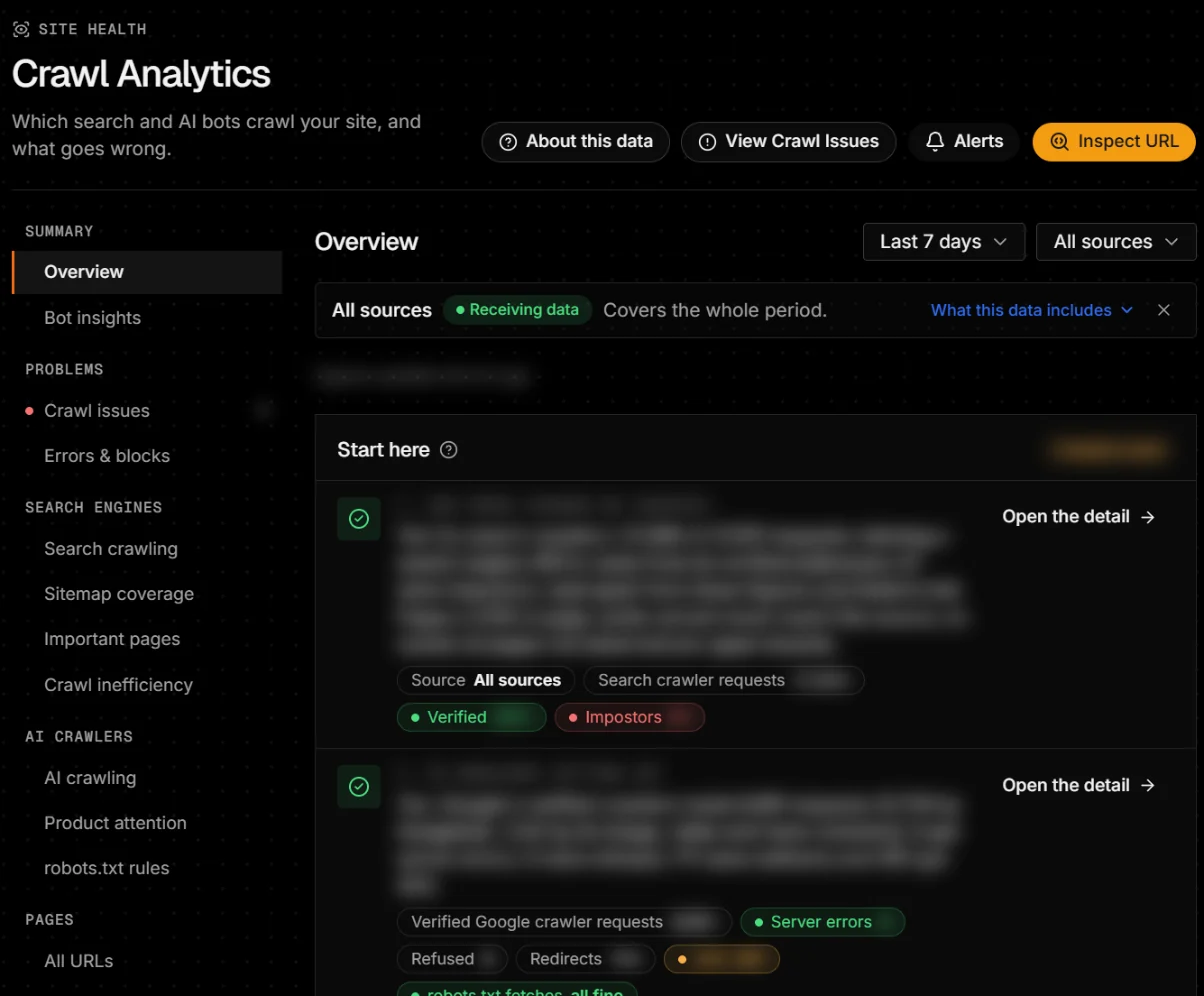
Sidebar → Site health → Crawl Analytics. It needs a connected log source; until the first batch arrives, the page shows a setup wizard.
Verified, unverified and spoofed
Search and AI counts are verified requests: the bot’s IP matched its operator’s published ranges, its reverse DNS checked out, or Cloudflare verified it. Other views also show unverified and spoofed requests, labelled as such.
- Probable
- Matched an older copy of the operator’s IP list.
- Unverified
- The operator publishes no way to check.
- Spoofed
- Came from a network the operator doesn’t use.
The views
- Overview
- “Start here” answers five questions (can the figures be trusted, is Googlebot getting in, where is the search crawl going, are AI crawlers getting in, is anything exposed), plus pages requested, search and AI requests, crawl issues and coverage by section.
- Crawl issues
- Problems in the last 7–30 days of logs, each with what to do, why it matters, how to check the fix and the affected URLs. Needs a week of data.
- Errors & blocks
- Responses by bot: not found includes 410; refused means 403 or 429.
- Search crawling
- Googlebot, Bingbot and others, their responses, and crawl ÷ clicks by section: above 3 means Google crawls a section far more than it earns.
- Sitemap coverage
- Each known page Recently observed, Stale (older than the stale threshold), Not observed, Excluded intentionally or Unknown.
- AI crawling
- AI search crawlers, training crawlers and user-directed fetchers, verified and refused. A request is not a citation.
- Pages
- All URLs with last crawl, response, whether they can rank, search demand and audit issues; site sections.
- Activity
- Traffic, a sample of requests, every crawler and automated traffic.
Filters
Period (Last 24 hours to Last 90 days or custom), and the data source when you have more than one. Requests can be filtered by path, verification, response and crawler.
Coverage notice
Every report says which source it read and whether it covers the whole period (Collecting since …: part of this period has no data). Open What this data includes: some sources can’t see cache hits or edge blocks.
Alerts
Checked every hour against each source’s own history, after one to two weeks of baseline: a source stopped sending data, robots.txt changed, a new crawler, a crawler stopped, errors spiked, impersonation, unusual volume. They appear in Site Monitoring → Alerts.
When data is empty, late or unavailable
- No verified search or AI crawler requests
- Nothing verified in this period; check the source covers your pages.
- Issues need a week of data
- Wait a week after connecting.
- Waiting for first batch
- See server logs troubleshooting.