

Report guide
Indexing and Inspect URL
Whether Google indexes your pages, what each verdict means, and everything known about one URL.
The question it answers
Is Google indexing my pages, which ones need help, and what does every source know about one URL?
Where it is
Sidebar → Site health → Indexing and Inspect URL. Both need Search Console.
How pages are checked
Tracked pages are inspected through Search Console, which allows about 2,000 inspections a day, so a large site takes several days to cycle through. Your plan sets how many pages are tracked; see plan limits.
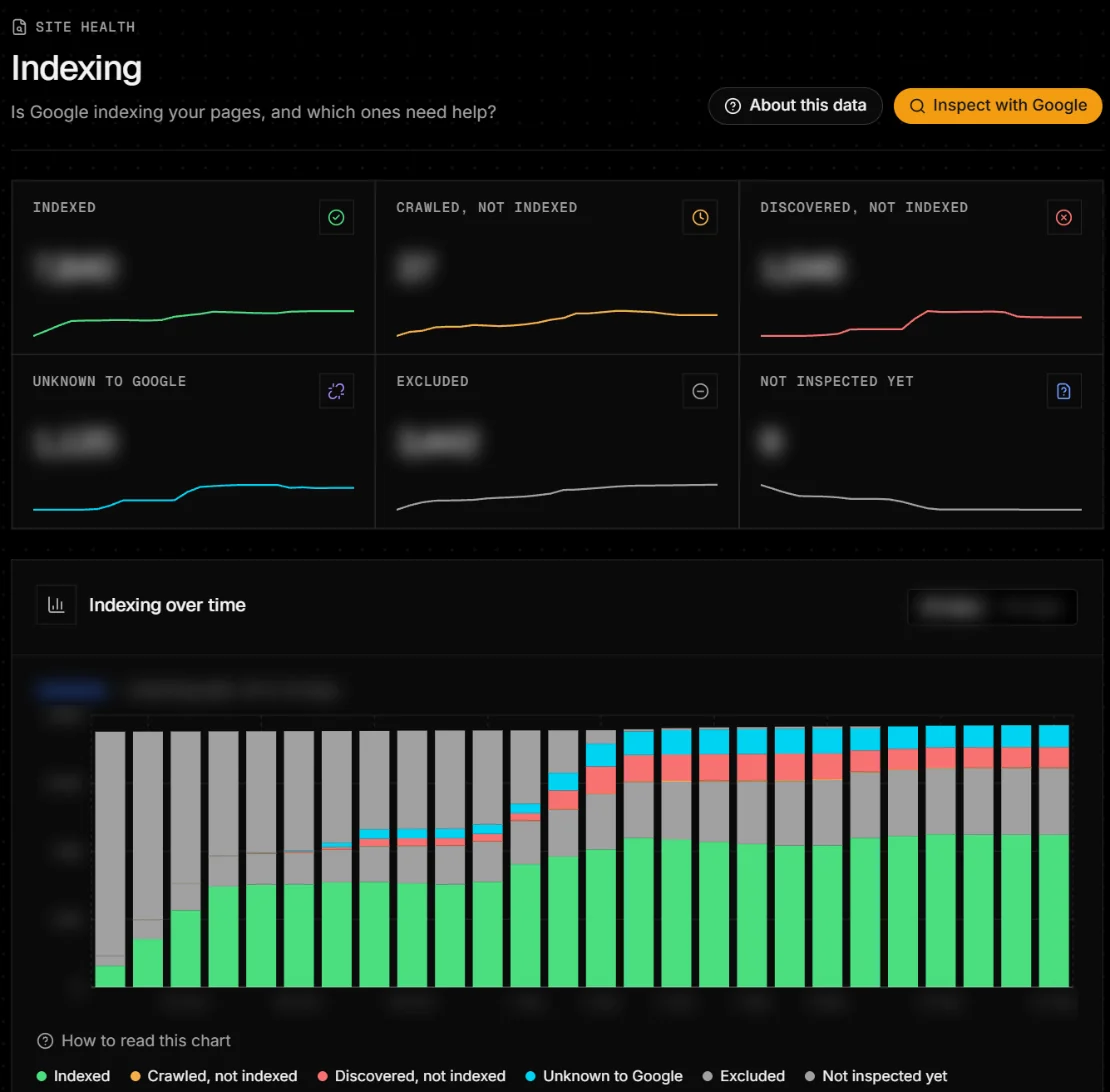
Google’s verdicts
- Indexed
- Google’s last inspection found the page in its index.
- Crawled – currently not indexed
- Google fetched it but chose not to index it: usually thin, duplicate or low-value content.
- Discovered – currently not indexed
- Google knows the URL but hasn’t crawled it: often weak internal links.
- URL is unknown to Google
- Never seen. Link to it and keep it in your sitemap.
- Excluded
- Kept out on purpose or by an error: noindex, redirect, canonical elsewhere, 404, blocked by robots.txt.
- Not inspected yet
- Waiting for the daily quota. Inspect now checks it at once.
Filters and tabs
- Filters: Has impressions (28 days), Dropped out, In sitemap, not ranking, Ranking, not in sitemap, Noindexed, still in search. A page can match several.
- Pages: every tracked page with status, last crawl, rich results and impressions. Inspect now checks up to 100 pages of the filter that Google hasn’t checked in 20 hours.
- Crawling: Googlebot freshness (Fresh, Aging, Stale). With server logs, every Googlebot request.
- Sitemaps: what Google read from each submitted sitemap. Bing and Google vs Bing: Bing’s crawl and index and the differences.
Inspect with Google asks Google for one page’s current verdict; it counts against the daily quota. To submit new pages to Bing and others, use IndexNow in Project settings → Integrations.
Inspect URL
Paste a URL from your site and click Inspect. One page shows everything every source knows: Google clicks, organic visits, AI answers, crawler requests in 90 days, who crawls it, whether it can rank, what it ranks for, and a timeline.
When data is empty, late or unavailable
- Today’s refresh could not finish
- Search Console didn’t answer; the last successful numbers are shown. Click Try again.
- No sitemaps submitted
- Submit one in Search Console (Indexing → Sitemaps).
- Not in any sitemap, audit or catalogue
- Inspect URL found no source that lists the page.